Create an API key
An API key authenticates requests to the Savanna REST API. Every request sends it in the x-api-key header. Only an organization administrator can create one.
Create a key
-
In Savanna, open Admin → Settings. If you don’t see Admin, you don’t have the organization administrator role. Reach out to an organization administrator to mint a key with the access you need.
-
Open the API Keys tab.
-
Click Create API Keys.
-
Give the key a name you will recognize later, such as
ci-provisionorlocal-dev. Grant only the permissions that job needs. Set an expiration if the key is for a short-lived environment. If you’re unsure which role to pick, you can find more about roles and what they mean in Access management.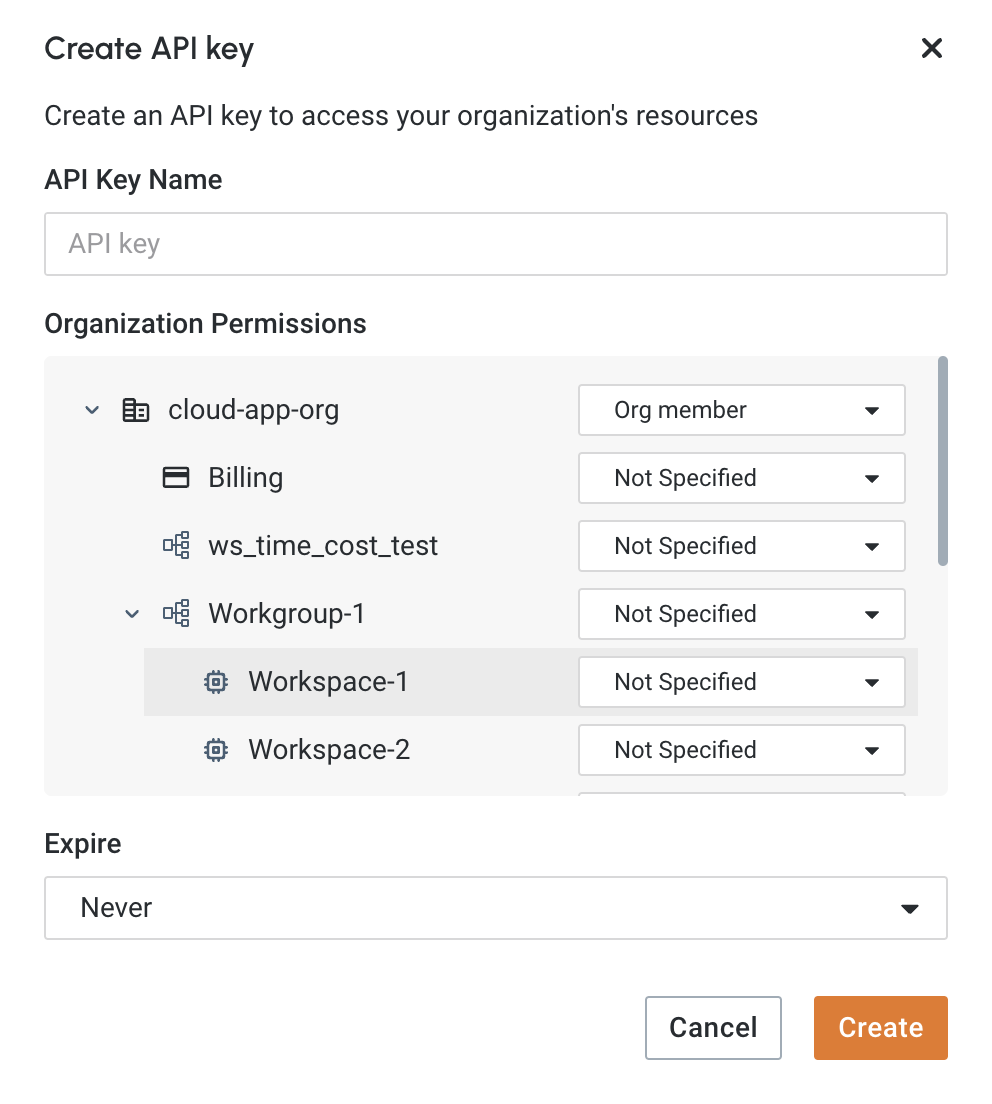
-
Copy the key and store it securely. Savanna does not keep the plaintext, so you cannot retrieve the value later. If you lose it, create a new key.
Verify the API key
This curl lists the workgroups in your organization so you can confirm the key works. Export it as TG_API_KEY. Do not put the key in source control.
export TG_API_KEY='<your-api-key>'

curl -sS "https://api.tgcloud.io/controller/v4/v2/workgroups" \
  -H "Content-Type: application/json" \
  -H "x-api-key: $TG_API_KEY"
A JSON list of workgroups means the key works. Use the same header on every other control-plane endpoint.